Seventeen welcome emails, each with the screenshot and our take. Then the subject lines, and a prompt you can hand to an agent.
01
Email content
The job of the email is the choice that shows up on the screen. These are the five jobs in this set, with the email we could actually read.
Ask for one thing
These emails give the reader one job, and the links point at that job.
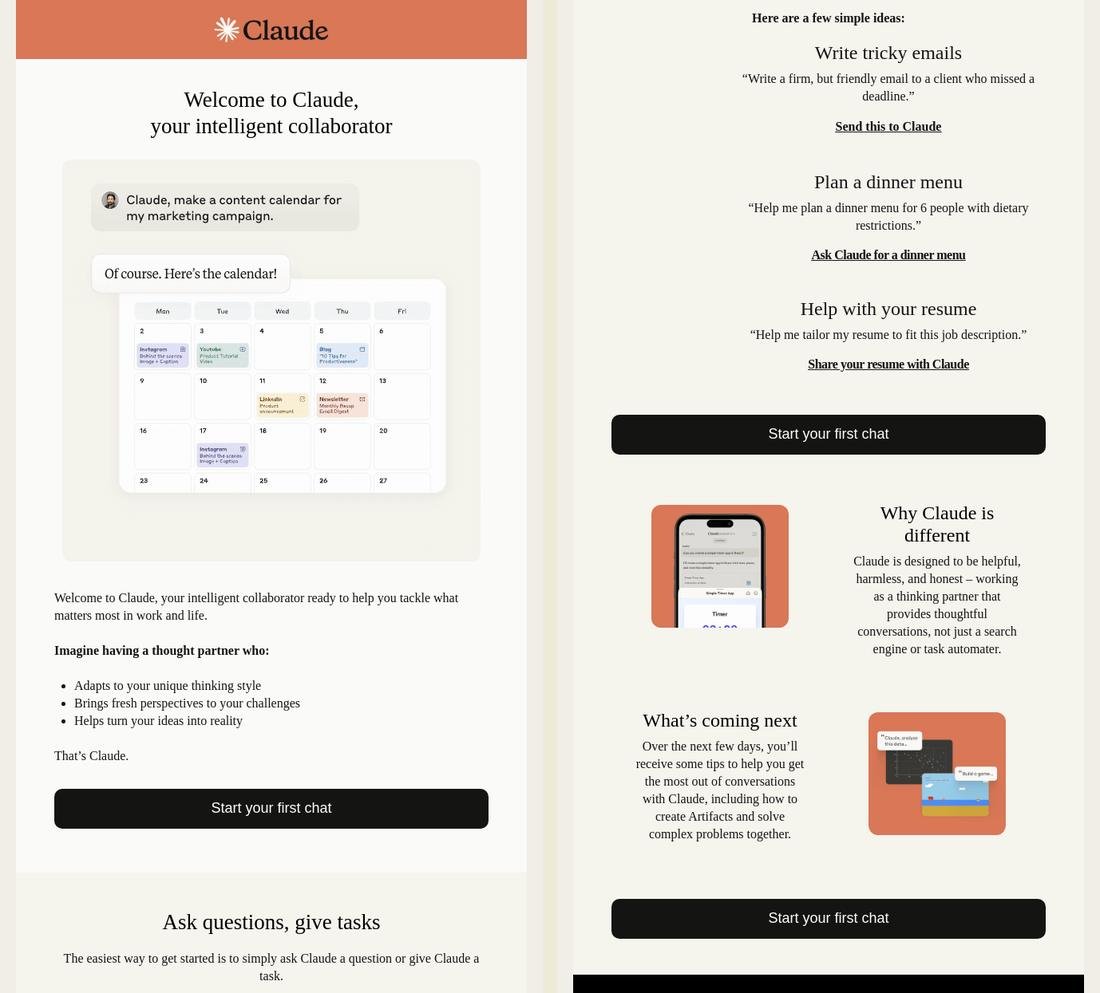
Claude2025
The same Start your first chat button shows up three times, with a finished prompt you can send as it is.
Our take
Pro Repeating one button, and handing over a prompt that is already written, means someone can start from that prompt instead of an empty chat.
Possible change The sample prompts are three different jobs. Ask which job they came for, and lead with that one prompt.
They also keep the same CTA throughout: 'Start your first chat.' Lianna Patch, judging Best Welcome Email (Claude won), Really Good Email Awards 2025
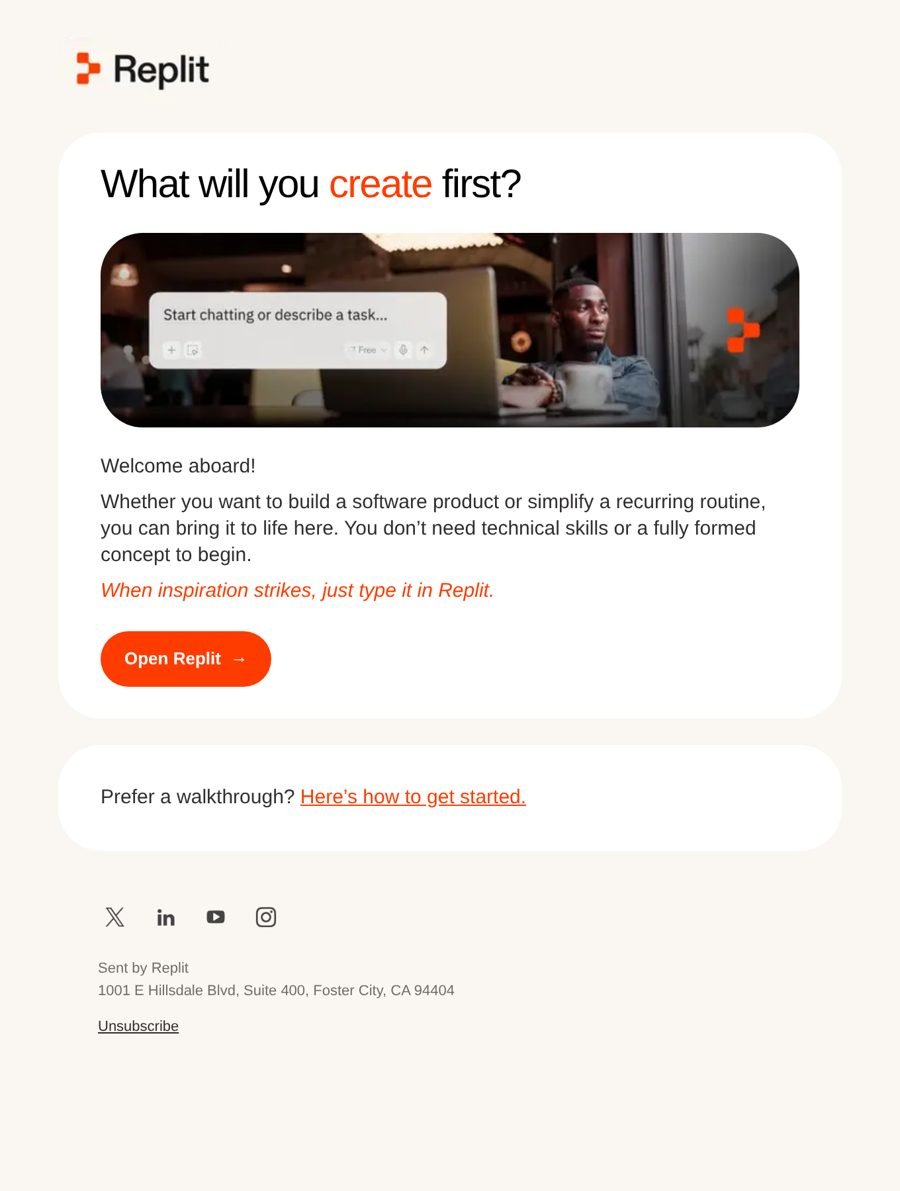
Replit2026
Saying you do not need technical skills or a finished idea is how Replit answers the fear of starting.
Our take
Pro Those two lines speak directly to why someone might hesitate, and then the email asks them to open Replit.
Possible change Add one realistic starter prompt, such as "Turn my meeting notes into a checklist," so the empty box has something ordinary to type.
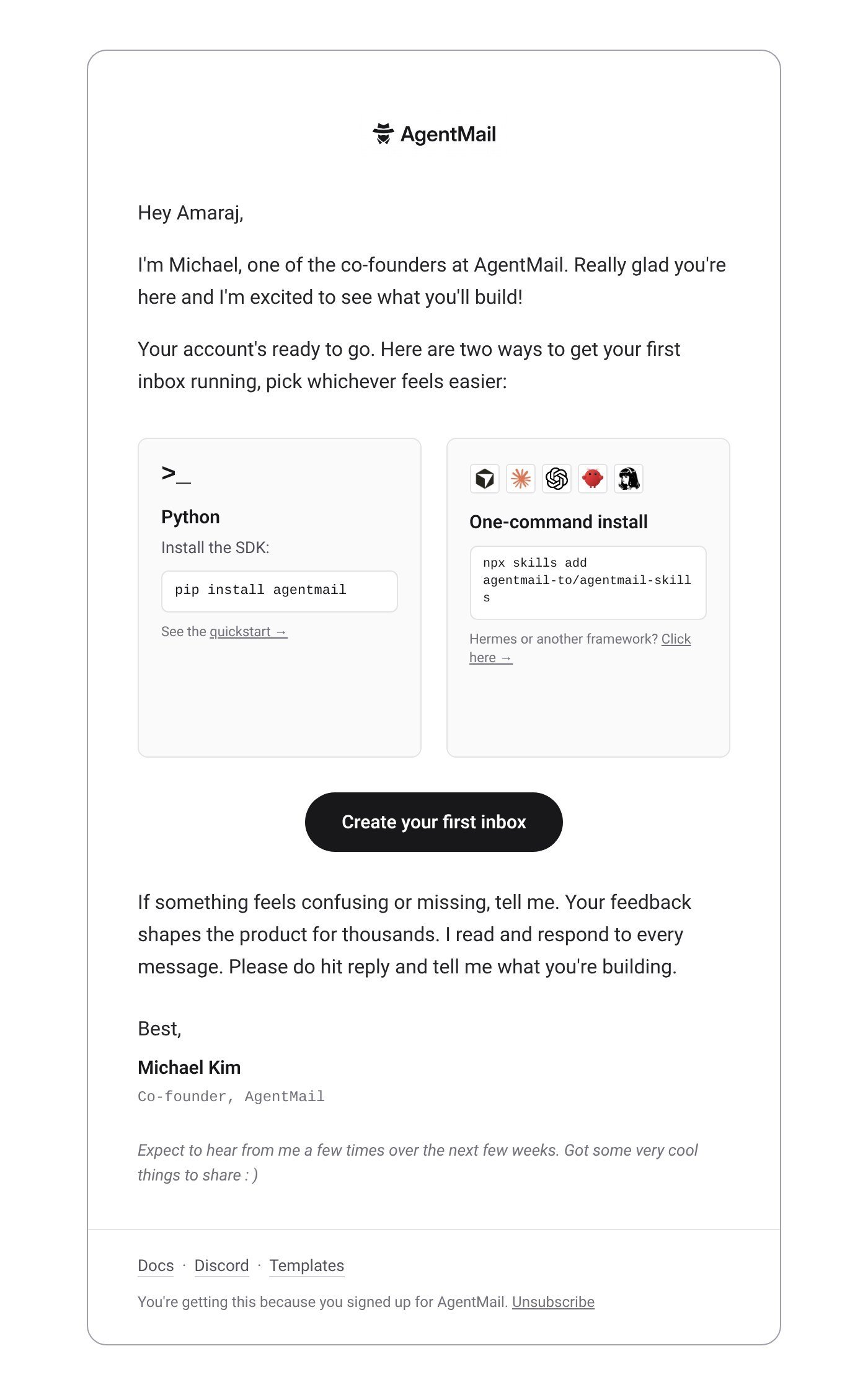
AgentMail2026
Michael Kim signs it himself and asks you to reply with what you are building.
Our take
Pro The reply ask is specific, and it comes from a named founder who says he reads every message.
Possible change I would still offer both install paths, since developers often already know which one they want. If I picked a default, I would treat that as a preference and keep the other path one click away.
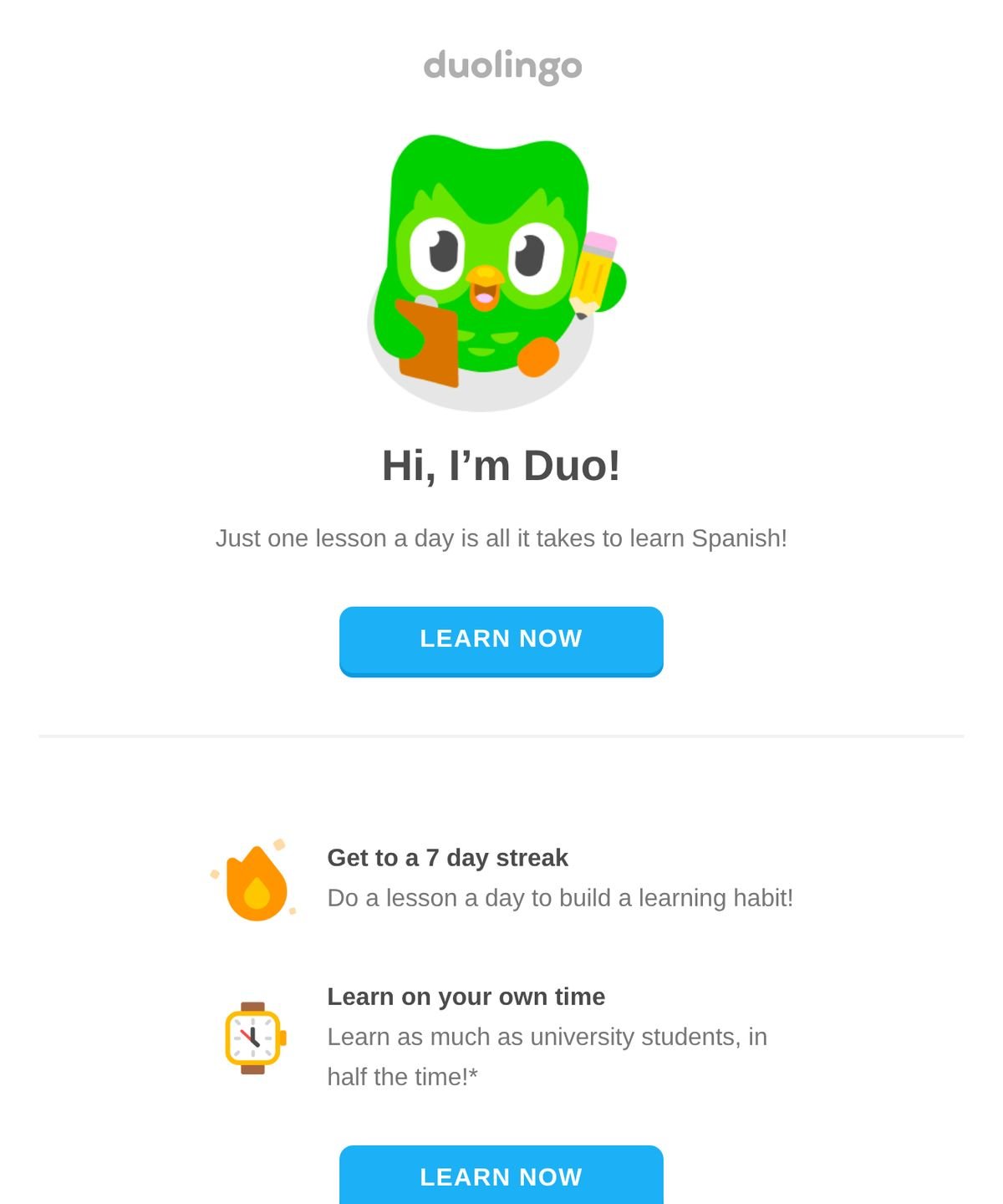
Duolingo2026
One lesson a day, in the language you chose, is a clear enough ask on its own.
Our take
Pro The opening line names Spanish and asks for a single lesson, with one Learn now button.
Possible change Leave the streak and the university comparison for a later email, so this one stays on the lesson.
A checklist that knows what you did
These emails are setup lists, and at least one box is already checked.
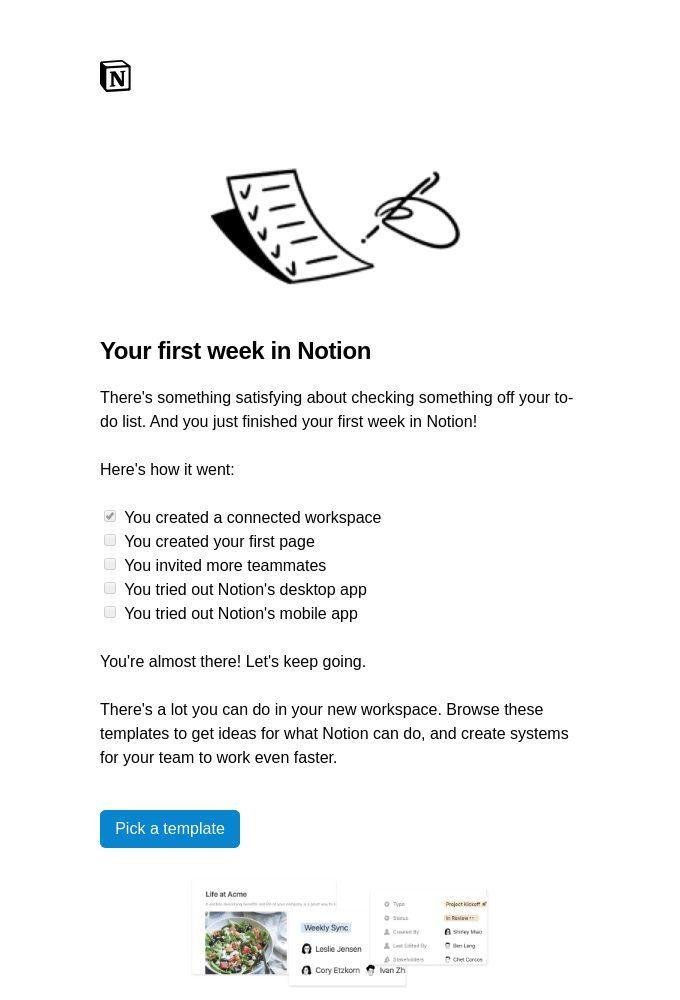
Notion2025
One box from the first week is already checked, so the list is about this person.
Our take
Pro The checked item comes from something they already did, which makes the rest of the list feel personal.
Possible change Point the button at the next open item, creating a first page, instead of sending them off to pick a template.
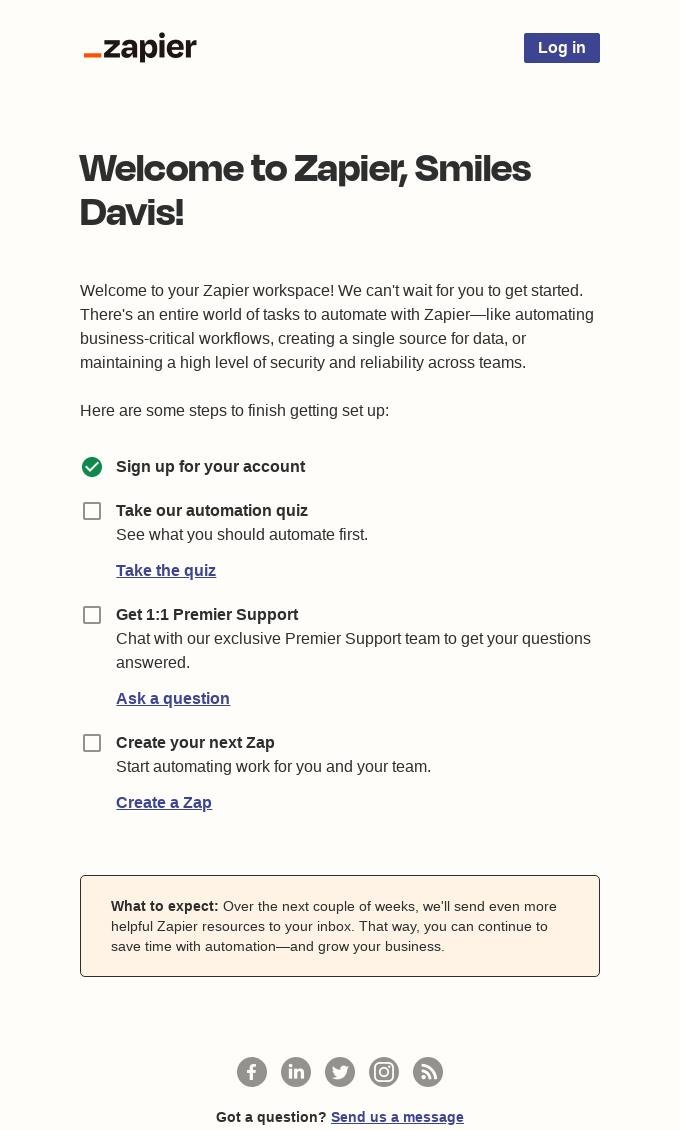
Zapier2025
The account step is already checked, so the list starts with something done.
Our take
Pro Marking signup complete gives the rest of the list a head start.
Possible change Move Create your next Zap above the quiz and the support call, because that is the step that gets someone into the product.
Spell out the first session
These emails write the first session, including the command or the click.
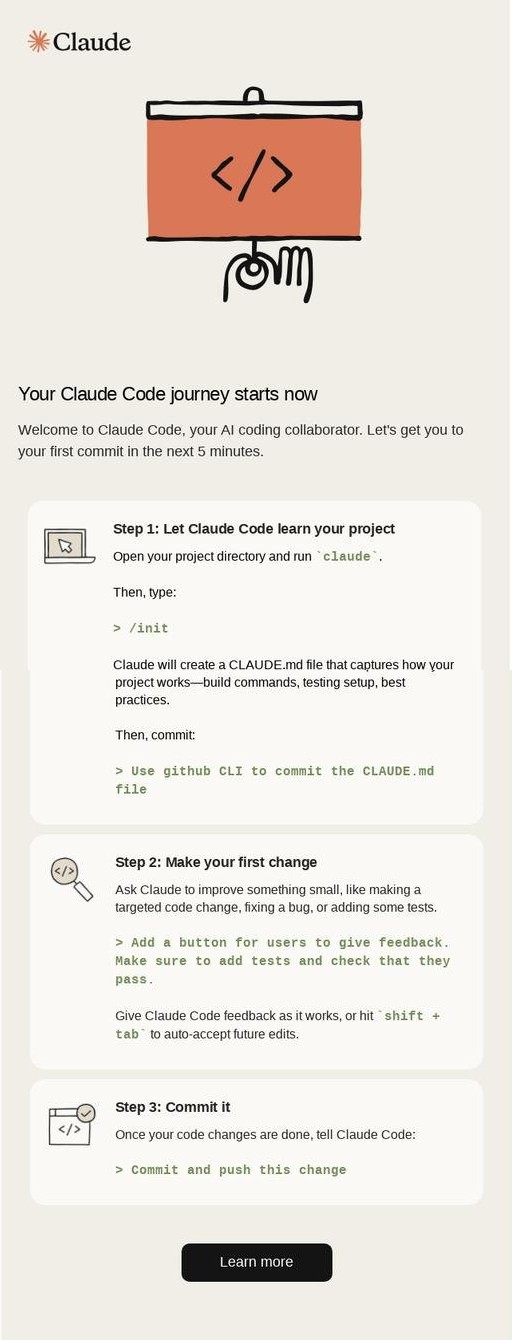
Claude Code2026
It gives you five minutes and the exact command for each step of a first commit.
Our take
Pro The commands are written out, so the reader does not have to guess what to type.
Possible change Make the button start step 1, and keep Learn more as a quieter link for people who want the longer version.
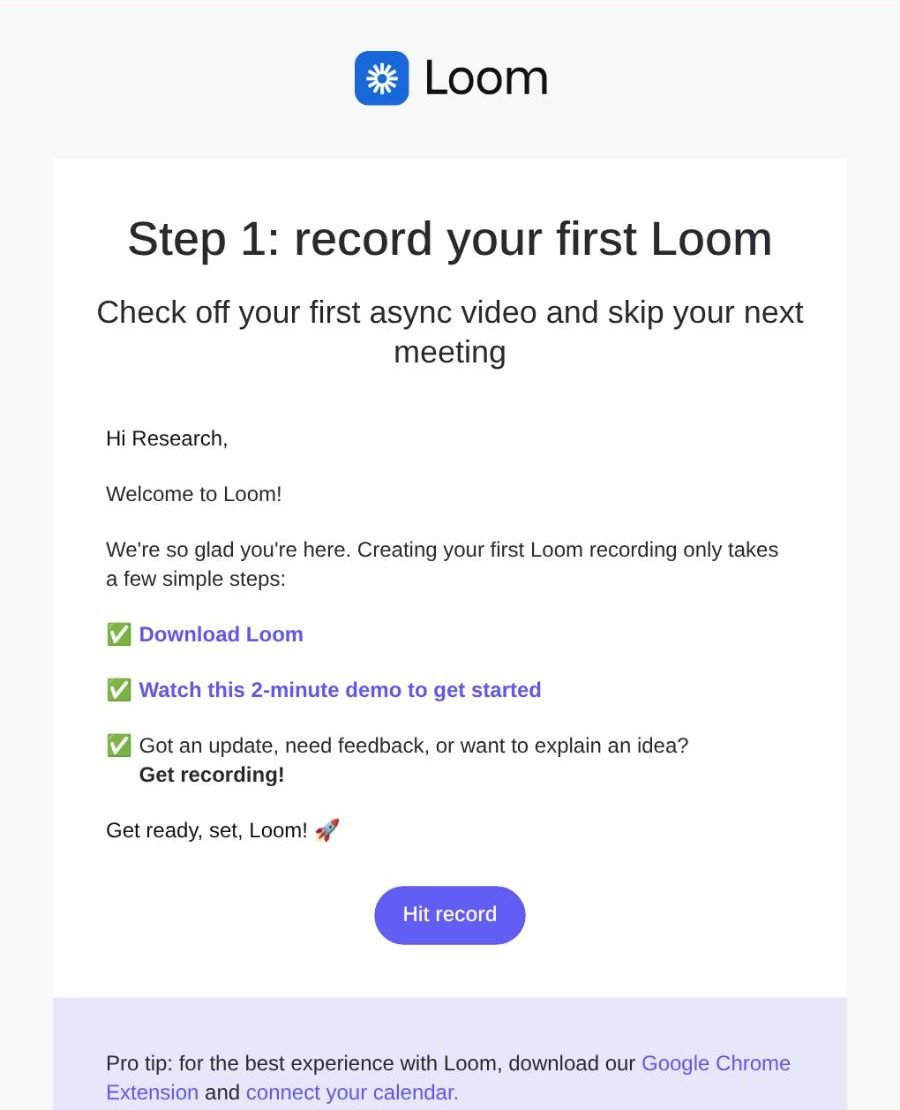
Loom2026
The first recording is framed as a way to skip a meeting, and the button says Hit record.
Our take
Pro The headline names a payoff, and the button is the recording itself.
Possible change Use plain bullets for the three instructions, since the green checks make them look finished, and save the extension and the calendar for after the first video.
Let people pick a path
These emails offer more than one way in, and each option says who it is for.
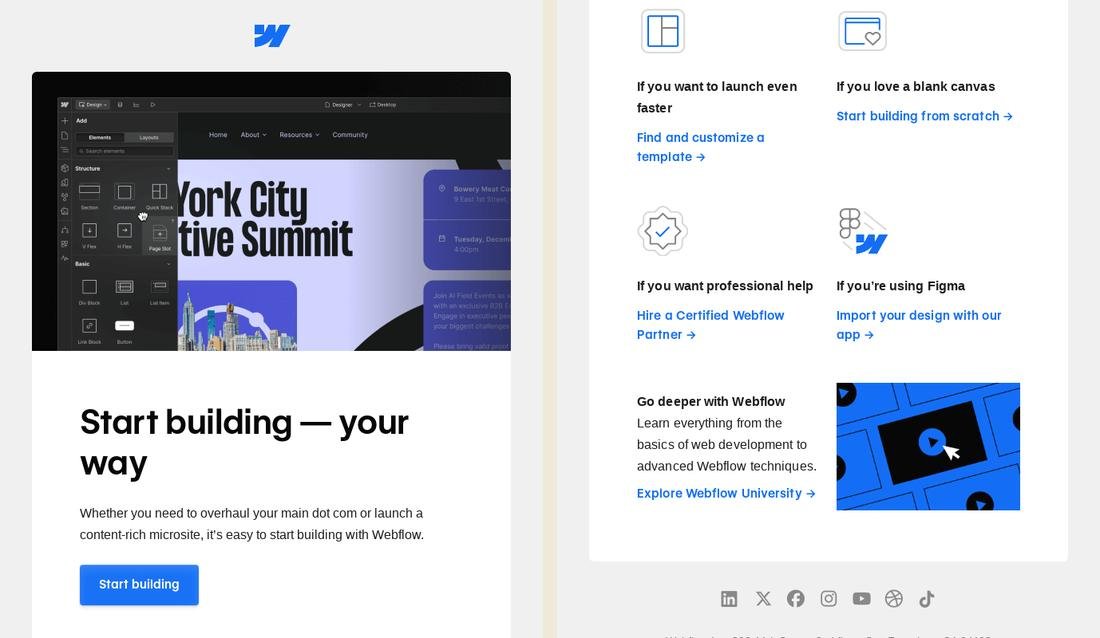
Webflow2026
Each way in starts with "If you," so a reader can tell which one is theirs.
Our take
Pro The four options are written from the reader's situation, which makes them easy to tell apart.
Possible change Drop the general Start building button, or make it the path for someone who already knows what they want, so it does not compete with the four options.
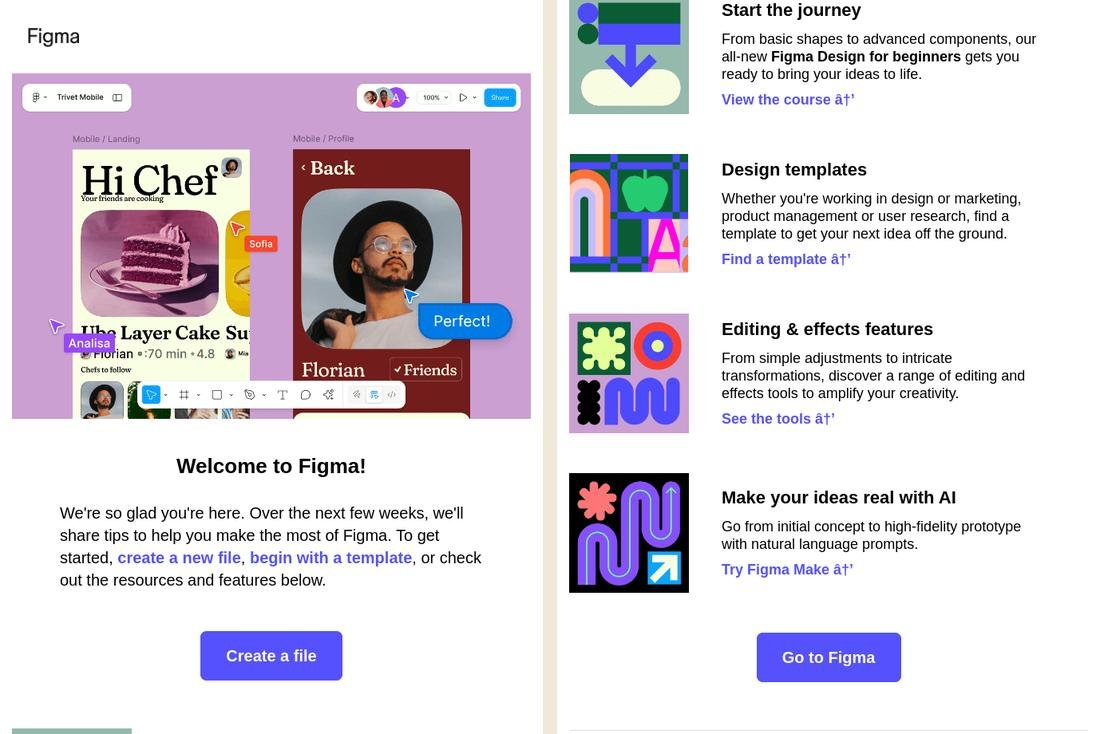
Figma2026
Create a file is there for people who are ready, with labeled paths for everyone else.
Our take
Pro Someone who knows what they want gets a direct button, and someone who does not can pick a course, templates, tools, or AI.
Possible change Put the role in the template title. Design templates does not say it is for marketing or research, even though the paragraph does.
Lead with an offer
These emails open with a discount or a coupon, and they tie it to a next step.
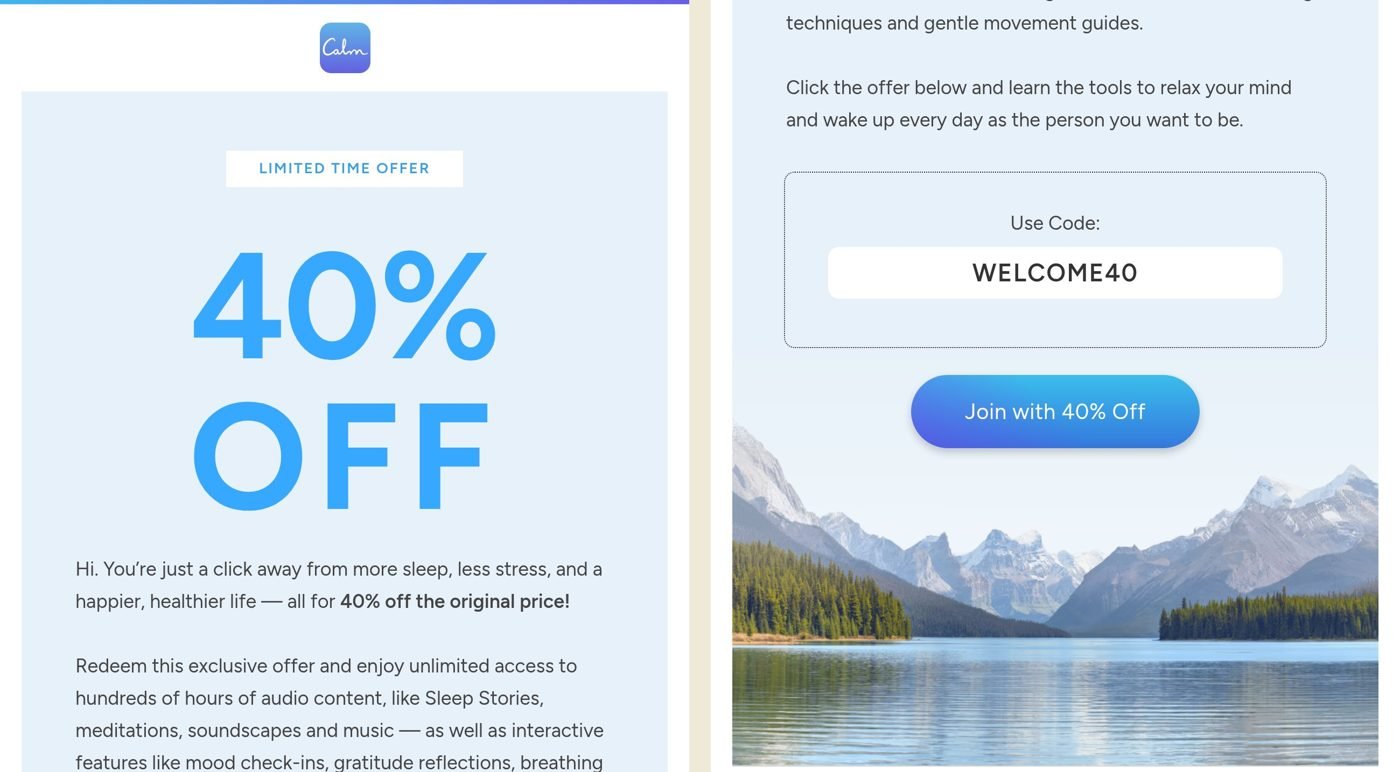
Calm2026
Forty percent off, with the code WELCOME40 printed where you can copy it.
Our take
Pro The amount and the code are both in the email, so nobody has to hunt for either.
Possible change Show one session someone can try before the subscribe button, and keep the code beside it for people who are not ready to pay.
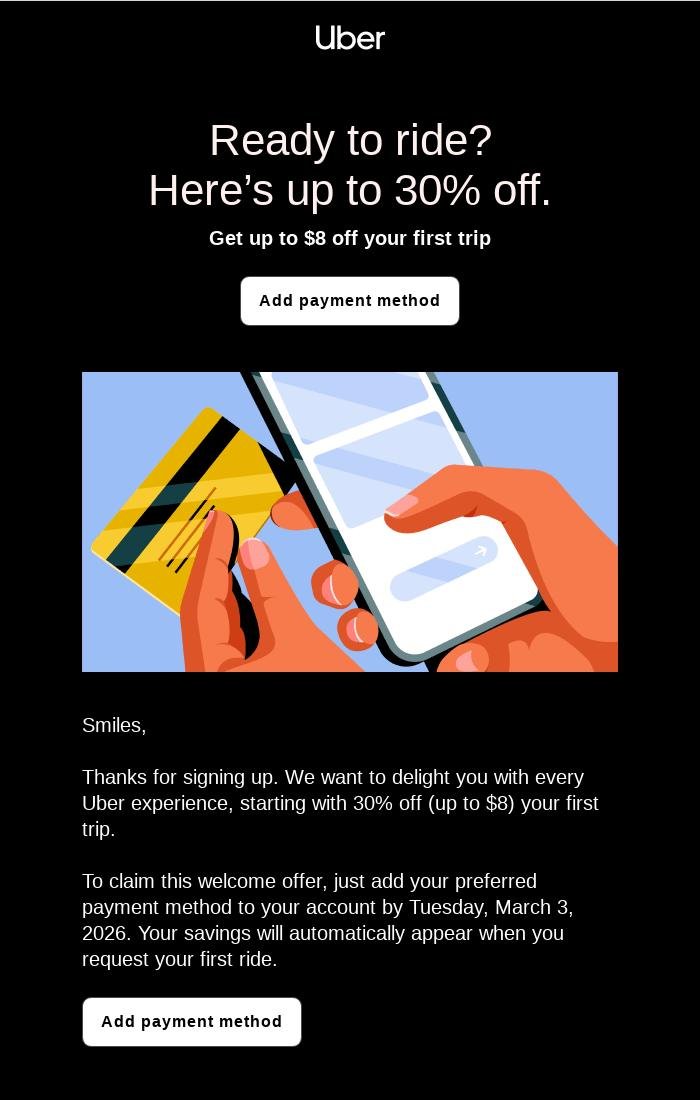
Uber2026
The welcome offer is 30% off the first trip, up to $8, once a payment method is added by March 3.
Our take
Pro The email names the offer, the step, and the date together, and it calls the discount a welcome offer.
Possible change Put thanks for signing up and welcome offer in the headline, so the payment button reads as part of the welcome.
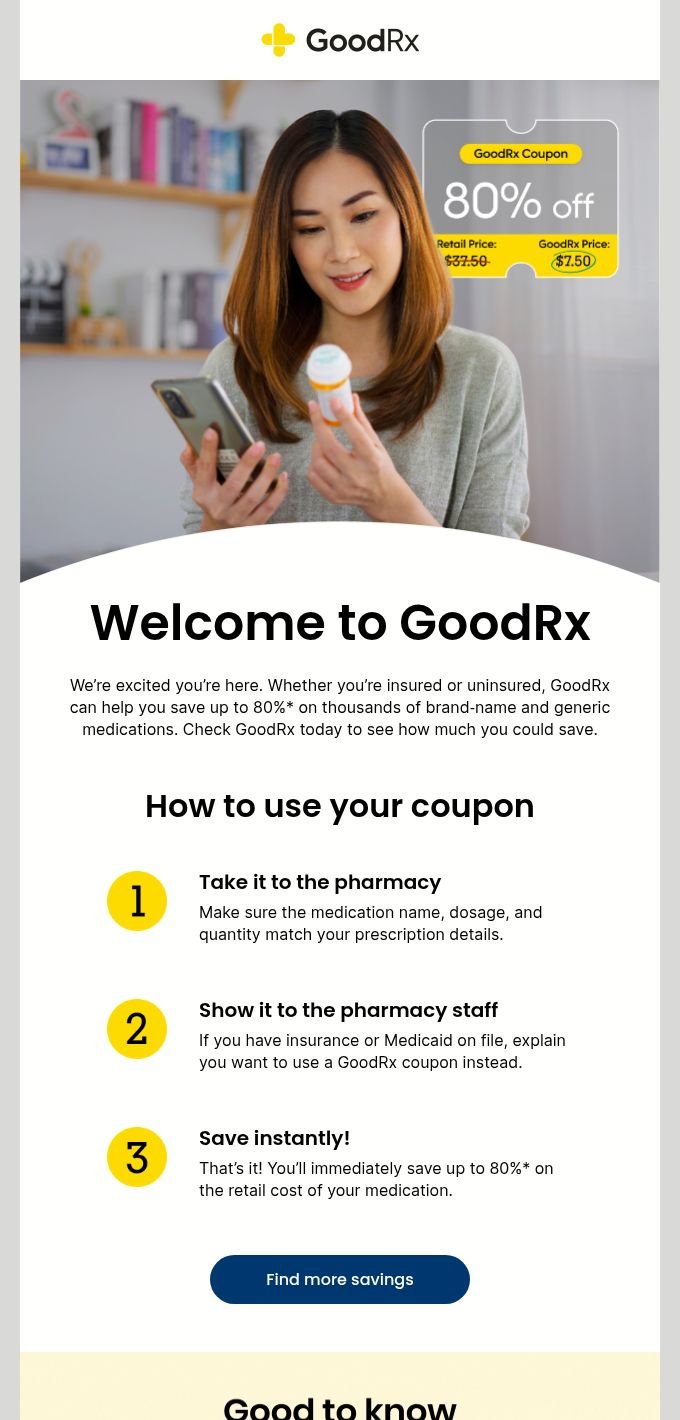
GoodRx2026
It writes the sentence to say at the counter if insurance is already on file.
Our take
Pro Step 2 covers the awkward moment, when a pharmacy already has insurance on file and the person needs to ask for the coupon instead.
Possible change We would add a picture showing someone presenting the coupon at the pharmacy counter, including what to say if insurance is already on file.
02
Tone and voice
Who the email says it is from, and how the writing sounds.
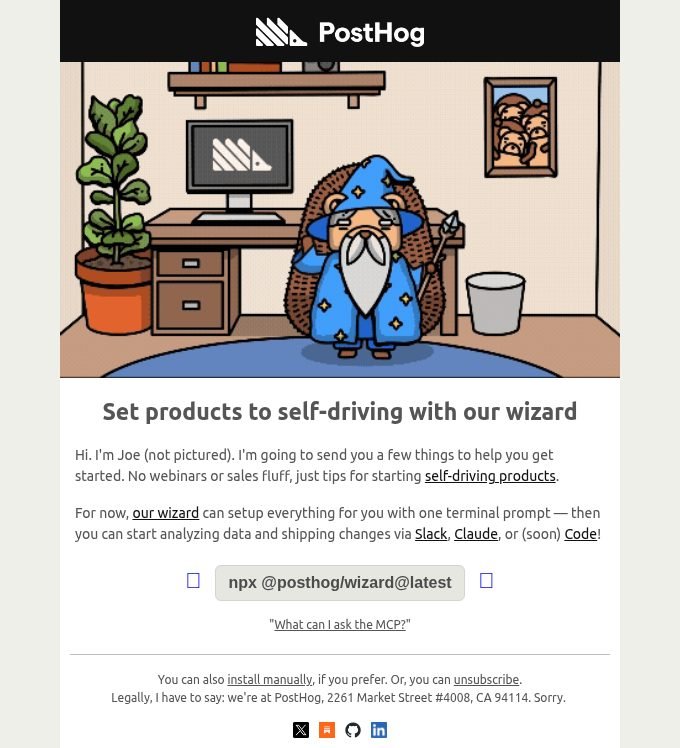
PostHog2026
Joe sends it in his own name, and the whole setup is one command you can paste.
Our take
Pro A real person says the mail is from him, promises no webinar or sales pitch, and leaves a command you can copy.
Possible change Put that command above the introduction, so the first thing a new person can do is run it.
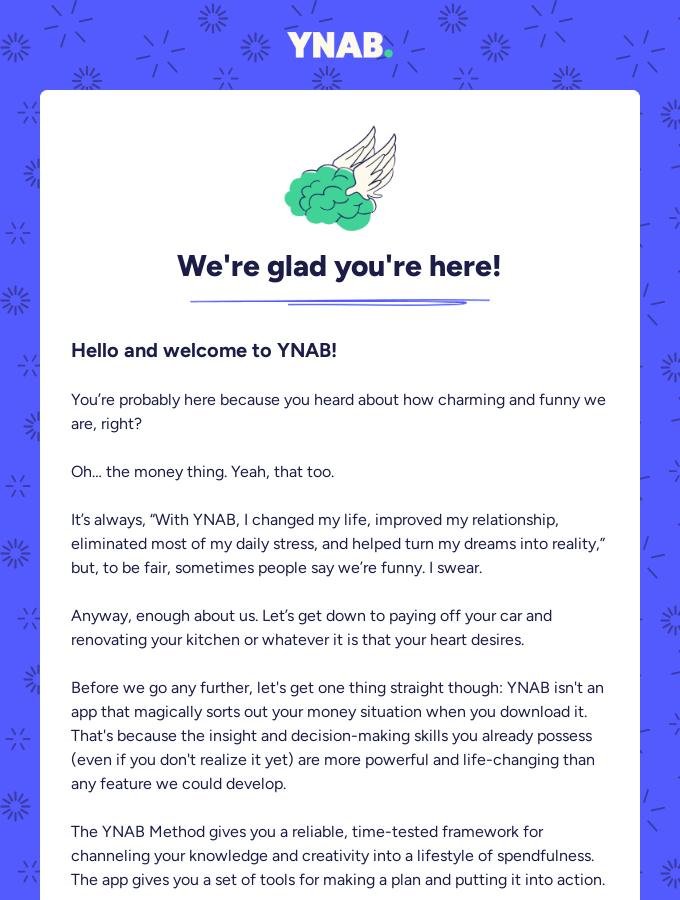
YNAB2025
It jokes about being charming, then says the app will not sort your money for you.
Our take
Pro The joke makes room for a plain warning, which is the useful part of the letter.
Possible change Move that warning up under the joke, and follow it with one small first step, such as naming the bill you will plan this week.
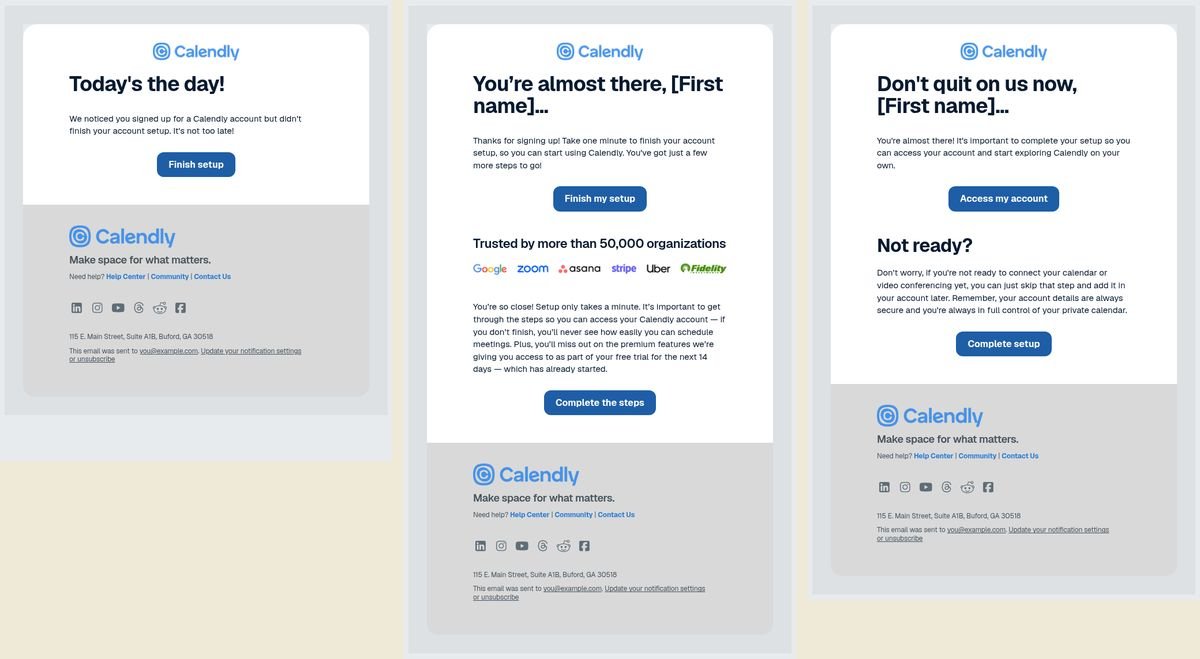
Calendly
The third email is the one that says you can skip connecting a calendar and add it later.
Our take
Pro It names the step people put off and gives them permission to come back to it.
Possible change Put that same permission in the first email, Today's the day, instead of waiting through two reminders.
Loom2021
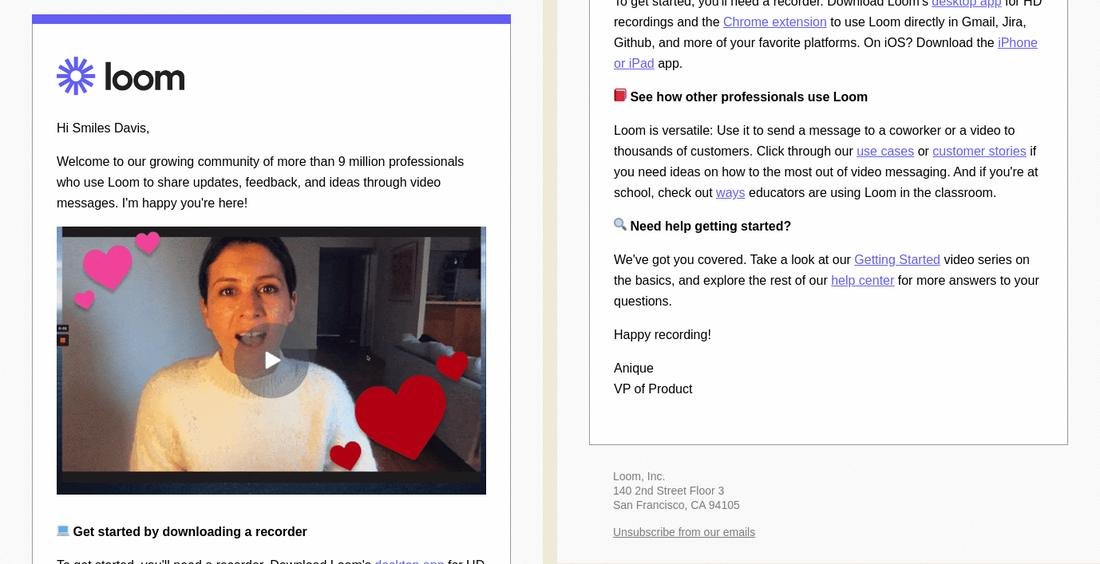
A person talks on video, and Anique, VP of Product, signs the welcome.
Our take
Pro The product is video, and the welcome shows a person talking, with a name and a title at the end.
Possible change After the video, one link to record is enough. Move the download list, the use cases, and the help center to a later email.
03
Subject lines
44 welcome and onboarding subject lines, grouped by the pattern in the line. The rows are the lines. The note under each heading is our take, which is an opinion.
Just "Welcome to [product]" 14 lines
Our take Fourteen lines are a plain welcome to the product. Where a preview was captured, GoodRx uses it for the coupon, Claude Code for a first commit in 5 minutes, and Zapier for starting to automate.
Company
Subject line
Preview text
Year
Replit
Welcome to Replit
·
2026
PostHog
Welcome to PostHog!
·
2026
Perplexity
Welcome to Perplexity
·
2026
Apple
Welcome to Apple News+
A world of inspiring stories is now yours to explore.
Our take Six lines do not say welcome. They name a job: an everyday task, finishing sign-up, connecting repos, building a first Zap, four ways to start, or using Claude today.
Company
Subject line
Preview text
Year
Replit
Make one everyday task easier
·
2026
Chime
Finish signing up! It's free and takes less than 2 mins.
Our take Four lines put the offer in the subject. Uber includes both 30% and the $8 cap. Calm says the discount is inside, or follows up on an offer, without a number in the subject. Coinbase says a reward is waiting.
Company
Subject line
Preview text
Year
Calm
Your discount is inside.
·
2026
Calm
Following up on our offer
·
2026
Coinbase
You're in! And a reward is waiting for you
Welcome to the start of your crypto journey on Coinbase.
Our take Five lines lead with a result. Notion's two lines are about a teammate and Agent. Loom's line is about saving a customer's time. Perplexity's is about smarter ways to use the product. Strava's is track, share, and stay connected.
Company
Subject line
Preview text
Year
Notion
A helpful teammate, built into Notion
·
2026
Notion
Make Agent feel like your teammate
·
2026
Loom
Help Save Your Customers’ Time With A Loom
·
2026
Perplexity
Discover smarter ways to use Perplexity today
·
2026
Strava
Track stats. Share workouts. Stay connected 💪
Download Strava to see your active life come together
Our take Three lines are a joke or a feeling rather than a task. PostHog's line is about getting rid of the UI. Calm's lines are "We dare you not to smile." and "You deserve to feel better."
Company
Subject line
Preview text
Year
PostHog
You hated our UI so much we got rid of it
·
2026
Calm
We dare you not to smile.
·
2026
Calm
You deserve to feel better.
·
2026
A prompt for your own welcome
Copy this into an agent when you want a draft or an audit. It asks for your product before it writes. It does not invent customers or results. Observations and opinions stay in separate lists.
Help me draft or audit one welcome email.

If I already pasted an email, audit that one. If I did not, ask for the product, who the reader is, the first useful thing they should do, and what they just did to sign up. Wait for an answer before you write.

Use only the facts I give you. Do not invent a customer, a quote, a number, or a result, and do not promise that any change will lift a metric.

Then write the subject line, the preview text, and the body. Add a short rationale for those choices, and name one metric I could use to test the email.

Use only the references that fit this product. Skip the rest.

- Replit tells new people they do not need technical skills or a finished idea, so the fear of starting has an answer. A realistic first prompt, such as turning meeting notes into a checklist, would show them what to type.
- AgentMail is signed by the founder, Michael Kim, who asks you to reply with what you are building. Two install paths can be the right choice for developers. Offering a default is a preference, not proof that one button is always better.
- Notion checks off a step the person already took. The button should point at the next open item.
- Claude Code writes the exact command inside each step and gives five minutes for a first commit.
- GoodRx writes what to say at the pharmacy if insurance is already on file. A picture of someone handing over the coupon would make that step easier to follow.
- Calendly waits until a later email to say you can skip connecting a calendar for now. That permission is more useful in the first email, when the calendar step is the one people put off.
Markdown for your agent
Same examples as the cards. Our takes are opinions. Screenshot notes and subject lines are observations. Image files are linked, not embedded.